BIOS POST Boot Screen
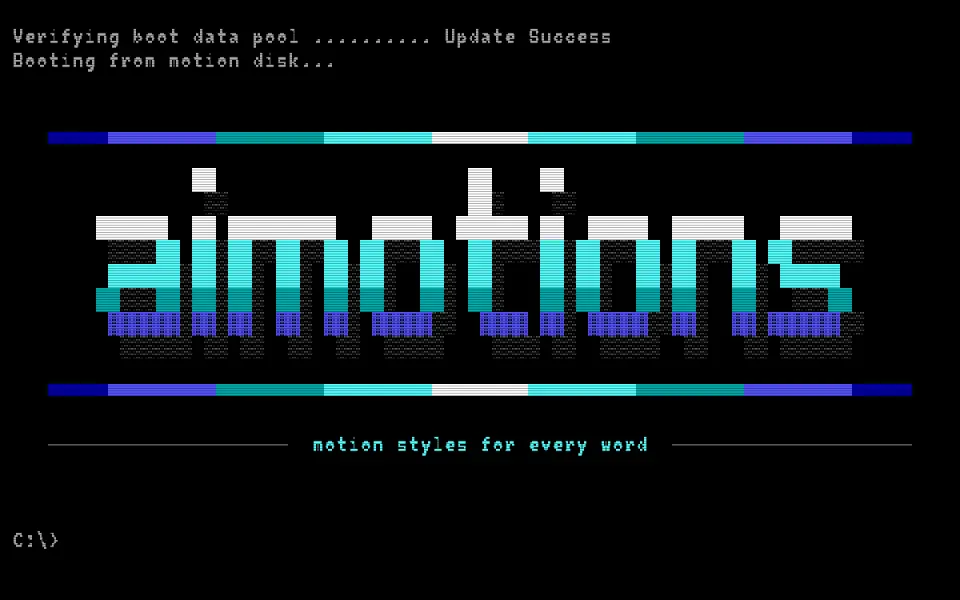
A 90s PC boot text animation: a BIOS self-test counts memory and beeps, then the word streams in as a big shaded ANSI block-art logo. 80×25 text mode, PC text-mode font and a blinking prompt make it a nerdy tech or hacker intro.
Prompt · replace [TEXT]
Tool-agnosticRecreate a 90s computer powering on in 80×25 text mode, revealing [TEXT]. Black screen, blocky 9×16 pixel text font, light gray text with white and yellow highlights. First the power-on self test: header and copyright lines, a memory test counter racing up to 65536K then OK, drive detection lines resolving one by one, a "Press DEL to enter SETUP" footer and a cryptic date code. A single short beep is visualized as a little pixel speaker with expanding sound arcs. Then the screen clears and [TEXT] streams in character by character as a big ANSI block-art logo: chunky letters built from full blocks, white at the top fading through cyan to dark blue, bottom rows in shade blocks, a dotted shadow, framed by half-block gradient bars; end on a command prompt with a blinking cursor. Subtle scanlines.
Visual DNA
- Strict 80×25 text grid with a 9×16 pixel PC text-mode font
- Gray text on black, white and yellow highlights, 16-color palette
- Memory test counter racing up in kilobytes, then OK
- Speaker beep shown as a pixel speaker with expanding sound arcs
- ANSI block-art logo with full, dark and medium shade blocks and gradients
- Logo streams in character by character like a fast modem, blinking cursor
- Category
- Retro Computing & Games
- Demo built with
- Canvas
- Energy
- Calm
- Background
- Dark bg
Also known as
Support
Keep aimotions free
Buy me a coffee No paywall, no sign-up. If a prompt saved you an hour, a coffee keeps new styles coming.
Keys: ← → browse · C copy