Terminal Command Line
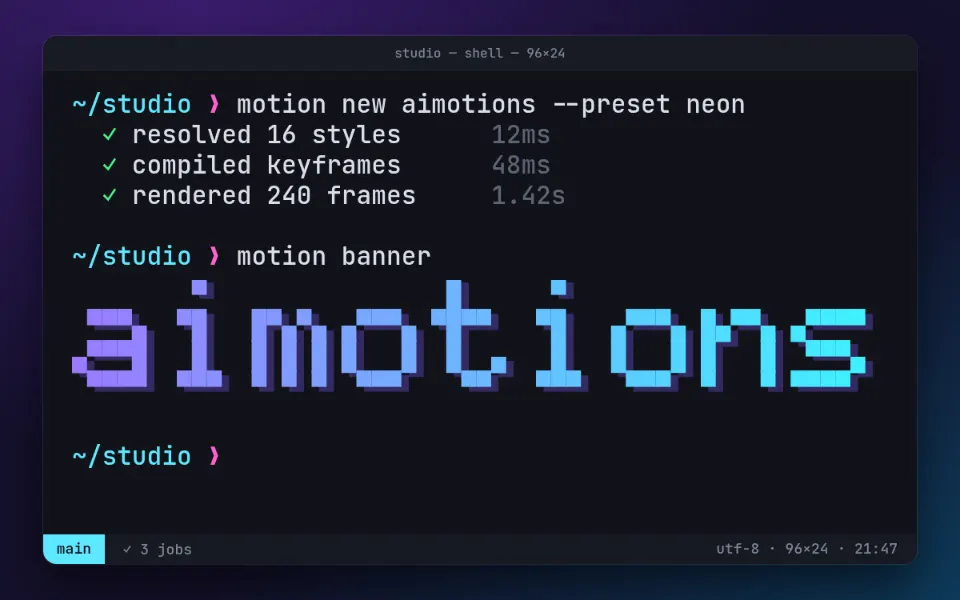
A dark terminal session types commands with human rhythm, prints check marks and a progress bar, then outputs the word as a big block-character banner. A developer-culture look for dev tools, launches and tech brands.
Prompt · replace [TEXT]
Tool-agnosticAnimate a modern terminal session that ends with [TEXT] as a giant block-character banner. A charcoal window with rounded corners floats over a deep indigo backdrop; monospaced text, a cyan path and magenta arrow prompt. Type a command with an uneven human rhythm, then print a few lines with green check marks and dim millisecond timings, plus a progress bar made of block characters that fills while a small spinner turns. Type a second short command; the output prints [TEXT] in huge letters built from square block characters, colored with a horizontal magenta-to-violet-to-cyan gradient and an offset dark shadow. A block cursor blinks on the next prompt; after a pause, type "clear", wipe the screen and start over.
Visual DNA
- Monospaced type on a charcoal window with a colored prompt
- Uneven human typing rhythm with a solid cursor that blinks when idle
- Green check marks, dim timings and a block progress bar with spinner
- Hero banner built from half-block characters with a magenta-to-cyan gradient
- Offset drop shadow under the banner, clear-screen reset to loop
- Category
- Sci-fi UI & Modern Web
- Demo built with
- CSS
- Energy
- Lively
- Background
- Dark bg
Also known as
Support
Keep aimotions free
Buy me a coffee No paywall, no sign-up. If a prompt saved you an hour, a coffee keeps new styles coming.
Keys: ← → browse · C copy